Copy the shot-by-shot prompts behind our Halloween videos. Each recipe defines the cast, timing, motion, lighting and sound for a short image-to-video scene, or you can run it here without writing a prompt.
Start with a photoTry on Halloween costumes
Sign in with email to use your credits. You can also pay first without signing in.
Start with the output, not the costume name
A useful video prompt says how long the clip is, who appears, what changes over time, how the camera moves and what must stay consistent. It should also state whether sound or dialogue belongs in the result.
- Use one clear action per timed beat.
- Repeat which face, outfit and body details must remain consistent.
- Keep the first version simple: a turn, a reveal, drifting fog or a slow push-in.
- Add “no text, logos or watermark” and avoid named characters when an original look will do.
Photo prompts and video prompts are different jobs
The prompts below are for motion: they include timing, camera direction and audio. A still-image editor needs a shorter instruction focused on identity, clothing, background and photographic style. Use the photo guide for Gemini-compatible still-image recipes.
Use photos and themes you are allowed to transform
Upload your own photo or one an adult has agreed to let you use. Keep costumes original instead of asking for an exact branded character, and review every frame for identity drift, extra limbs, altered clothing and unwanted text before posting.
Choose a Halloween video

AI Halloween Costume Video →
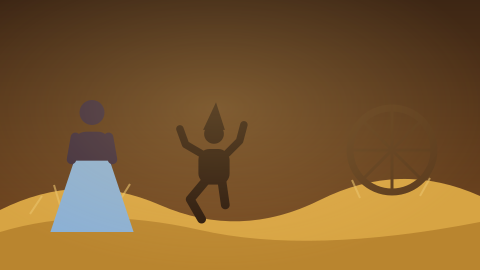
A cozy porch decorated for Halloween: pumpkins, string lights, fake cobwebs. You spin in place, and with each spin your outfit changes — a vampire cape, a witch hat and robe, then a glowing skeleton suit — before you strike a pose for the camera.
AI Werewolf Transformation Video →
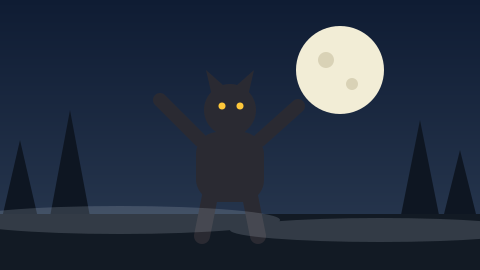
A misty forest clearing at night. The clouds part and the full moon lights your face. You flinch; fur spreads over your arms and face, your eyes turn gold and your features stretch into a wolf’s, and you throw your head back to howl at the moon.
AI Zombie Transformation Video →
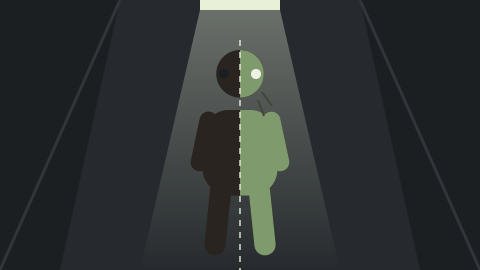
A flickering hallway at night. You stand facing the camera; the lights stutter, and with each flicker your skin turns greyer, your eyes cloud over and your clothes become torn and dusty. On the last flash you look up, fully transformed, and tilt your head at the camera.
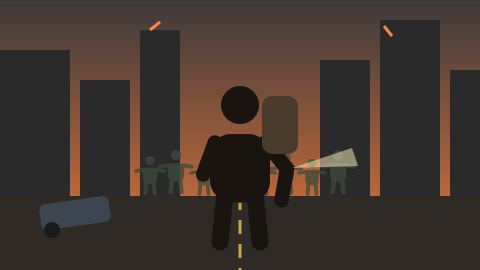
Zombie Apocalypse AI Video →
An abandoned city street at dusk: crashed cars, smoke, flickering signs. You walk toward the camera with a backpack and a flashlight; a distant horde of slow zombies fills the street behind you. You stop, look back over your shoulder, then turn to the camera with a determined stare.
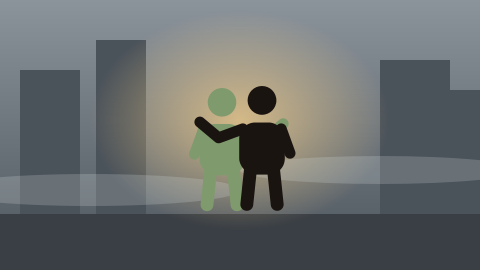
Zombie Hug AI Video →
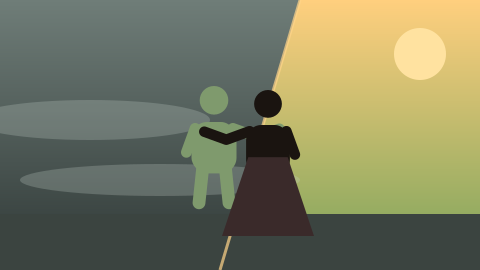
A grey, misty street. A familiar person shuffles out of the fog as a sad, gentle zombie. You recognize them, walk toward them and pull them into a long hug; warm light floods in and they are themselves again, hugging you back and laughing.

Zombie Love Story AI Video →
An abandoned rooftop at sunset over a ruined city. One partner sits wrapped in a blanket, slowly turning into a zombie; the other sits beside them, holding their hand. A memory of their first date flashes in warm color, then the two watch the sunset together, still holding hands.
The prompts
Halloween costume reveal 1 photo · 15 s · 9:16
Vertical 9:16, 15 seconds, playful Halloween costume-reveal video of one adult.

Use the person in Image 1 (@image1) as the subject. Keep their face, hairstyle and build consistent with the photo in every costume.

0–3s | Evening on a cozy front porch decorated for Halloween: carved pumpkins, warm string lights, fake cobwebs. The subject stands in their own clothes, smiles at the camera and starts to spin.

3–7s | After the spin they wear an elegant vampire costume with a high-collared black and red cape; they flare the cape dramatically.

7–11s | Another spin: a witch costume with a tall pointed hat, a dark robe and a broom; they wink.

11–15s | A final spin: a black skeleton suit with glowing white bones; they strike a fun pose as the porch lights flicker purple and orange.

Style: bright, fun and festive, smooth spin transitions with motion blur, realistic lighting. Not scary or gory. No text, logos or watermark.

Audio: playful spooky music with a swoosh on every spin and a light thunder rumble at the end. No dialogue.
Werewolf transformation 1 photo · 15 s · 9:16
Vertical 9:16, 15 seconds, one continuous cinematic shot, a single adult transforming into a werewolf under a full moon.

Use the person in Image 1 (@image1) as the subject. Keep their face recognizable at the start and their hair color and clothing visible as the transformation progresses.

0–3s | A misty forest clearing at night, cold blue moonlight. The subject stands facing the camera; the clouds part and the full moon lights their face. They flinch.

3–10s | The transformation advances smoothly: their eyes turn glowing gold, coarse fur spreads across their arms, neck and face, ears grow pointed, the face stretches into a wolf-like muzzle, and the shirt strains at the shoulders.

10–13s | Fully transformed into a werewolf, still wearing torn remnants of their clothes, they look down at their clawed hands.

13–15s | The werewolf throws its head back and howls at the full moon; the camera slowly tilts up to the moon.

Style: classic horror-film look, realistic fur and lighting, drifting mist, subtle film grain. Dramatic but not gory — no blood or wounds. No text, logos or watermark.

Audio: wind in the trees, a low rising drone, deep breathing turning into growls, and a long howl at the end. No dialogue.
Zombie transformation 1 photo · 15 s · 9:16
Vertical 9:16, 15 seconds, one continuous cinematic shot, a single adult slowly transforming into a zombie.

Use the person in Image 1 (@image1) as the subject. Keep their face shape, hairstyle, build and clothing recognizable from the photo throughout the transformation.

0–3s | A dim hallway at night lit by one flickering ceiling light. The subject stands facing the camera, normal and calm, then frowns as the light stutters.

3–10s | With each flicker the change advances: skin turns pale grey-green, faint dark veins spread on the neck and temples, eyes slowly cloud to milky white, hair becomes messy and dusty, clothes become torn and dirty. The subject grips their arm and sways.

10–13s | A final long flicker; the subject lowers their head.

13–15s | The light steadies; the subject slowly looks up, fully transformed into a zombie, and tilts their head at the camera. Hold on the face.

Style: realistic lighting, slow push-in, subtle film grain, tense but not gory — no blood, wounds or body horror. No text, logos or watermark.

Audio: low drone, electrical buzz of the flickering light, a slow heartbeat that fades out at the reveal. No dialogue.
Zombie apocalypse survivor 1 photo · 15 s · 9:16
Vertical 9:16, 15 seconds, cinematic movie-trailer shot of one adult survivor in a zombie apocalypse.

Use the person in Image 1 (@image1) as the survivor. Keep their face, hairstyle and build consistent with the photo throughout; they stay human the whole time. Add a worn backpack, a jacket and a flashlight.

0–5s | Dusk in an abandoned city street: crashed cars, drifting smoke, flickering shop signs, teal and orange grade. The survivor walks toward the camera, alert, flashlight in hand. Tracking shot moving backward.

5–9s | Far behind them, a slow horde of zombies fills the street, silhouetted in the smoke, keeping their distance.

9–12s | The survivor stops, looks back over their shoulder at the horde, jaw tight.

12–15s | They turn to face the camera with a determined stare as the camera pushes in to a close-up. Final heroic frame.

Style: blockbuster trailer look, realistic lighting, anamorphic flares, film grain. Tense, not gory — no blood, bites or violence. No text, logos or watermark.

Audio: deep trailer drums and a rising drone, distant groans, wind. No dialogue.
Zombie hug 2 photos · 15 s · 9:16
Vertical 9:16, 15 seconds, cinematic, emotional hug between two consenting adult friends.

Use the person in Image 1 (@image1) as Person A and the person in Image 2 (@image2) as Person B. Keep both faces, hairstyles and builds consistent with the photos throughout. A is a zombie until the warm transition; B is always a normal human.

0–4s | A grey, misty city street in the early morning, cold desaturated grade, drifting fog. Person A shuffles out of the fog as a gentle zombie — pale greyish skin, cloudy eyes, slow uneven steps — lost rather than threatening.

4–7s | Person B sees A, freezes, then recognizes them. B walks forward slowly, hands open, calm and tender.

7–10s | B pulls A into a long, tight hug, eyes closed, chin on A’s shoulder. Slow orbiting camera, fog swirling around them.

10–11s | Warm sunlight breaks through the fog; colors warm up and A’s zombie features fade.

11–15s | A, fully human again, hugs B back, both laughing with relief in the warm morning light. The camera slowly pulls back.

Style: smooth natural motion, realistic lighting, shallow depth of field. Not gory, not scary — sad, then joyful. No text, logos or watermark.

Audio: soft emotional piano rising into warm strings at the transition, gentle street ambience. No dialogue, lyrics or singing.
Zombie love story 2 photos · 15 s · 9:16
Vertical 9:16, 15 seconds, cinematic, romantic love story between two consenting adults during a zombie apocalypse.

Use the person in Image 1 (@image1) as Partner A and the person in Image 2 (@image2) as Partner B. Keep both faces, hairstyles and builds consistent with the photos throughout. A is slowly turning into a zombie; B is always a normal human.

0–4s | Sunset on an abandoned rooftop above a quiet, ruined city; smoke in the distance, orange and teal grade. A sits wrapped in a blanket, skin turning pale grey, faint dark veins on the neck — still themselves, eyes tired. B sits close, holding A’s hand.

4–7s | A tries to pull their hand away, worried; B shakes their head with a small smile and holds on tighter, then kisses A’s forehead.

7–10s | Flashback in warm, soft color: A and B laughing on their first date at a small café, both healthy and happy.

10–15s | Back on the rooftop: A rests their head on B’s shoulder, both watching the sun go down, fingers intertwined. The camera rises slowly to a wide, peaceful final frame.

Style: smooth natural motion, realistic lighting, shallow depth of field. Romantic and bittersweet, not gory or scary. No text, logos or watermark.

Audio: tender piano with soft strings, distant wind; warm café ambience in the flashback. No dialogue, lyrics or singing.
Halloween AI Video Prompts — FAQ
Are these photo prompts or video prompts?
Video prompts. They include timing, movement, camera direction and sound. The linked JustPicTools guide contains still-image prompts.
Which AI video models can use them?
Use an image-to-video model that accepts reference photos and text instructions. Replace the image-reference syntax with the format your model expects.
How many photos do I need?
The costume reveal, werewolf, zombie transformation and apocalypse prompts use one photo. The hug and love-story prompts use two adult portraits.
Can I change the costume or setting?
Yes in your own video tool. On this site, the built-in versions use fixed, reviewed stories so the generation flow stays predictable.
How much does it cost?
Story videos cost 2 credits per second at 480p (30 credits for 15 seconds) or 4 per second at 720p, for 5 to 15 seconds with sound. Packs start at $9.90 for 100 credits, with no subscription, and a confirmed failed render restores the credits spent.