Upload one photo and watch yourself turn into a zombie: a slow, cinematic 15-second transformation from normal to undead, with the reveal at the end. No gore, no costume, no makeup needed.
Start with a photoTurn your photo into a zombie
Sign in with email to use your credits. You can also pay first without signing in.
What the ai zombie transformation trend looks like
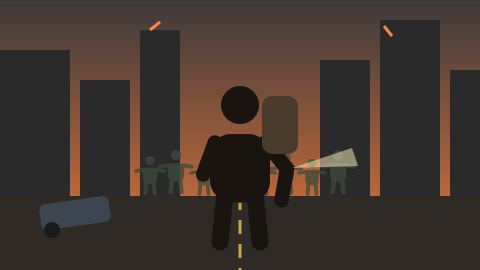
A flickering hallway at night. You stand facing the camera; the lights stutter, and with each flicker your skin turns greyer, your eyes cloud over and your clothes become torn and dusty. On the last flash you look up, fully transformed, and tilt your head at the camera.
Part of the AI zombie trend wave of autumn 2026. No reference video is used — a new scene is generated from your photo.
Also searched as: zombie transformation ai · turn me into a zombie ai · ai zombie filter video · zombie face ai video · ai zombie effect.
What happens in your zombie transformation video
- 0–3s A dim hallway at night lit by one flickering ceiling light. The subject stands facing the camera, normal and calm, then frowns as the light stutters.
- 3–10s With each flicker the change advances: skin turns pale grey-green, faint dark veins spread on the neck and temples, eyes slowly cloud to milky white, hair becomes messy and dusty, clothes become torn and dirty. The subject grips their arm and sways.
- 10–13s A final long flicker; the subject lowers their head.
- 13–15s The light steadies; the subject slowly looks up, fully transformed into a zombie, and tilts their head at the camera. Hold on the face.
How to make the AI Zombie Transformation Video
1 · Upload your photo
Your photo (becomes the zombie). One adult, clear face, chest up.
2 · Use credits
2 credits per second at 480p (30 for 15 seconds), 4 at 720p. Pay once in Stripe Checkout; the email you enter is your account — no password.
3 · Download and post
A 5–15 second MP4 with sound, 9:16 or 16:9, appears in My creations within minutes.
Who to put in your Zombie transformation video
- Yourself
- A friend who agreed
- A Halloween profile video
Photo tips
- Use a sharp, front-facing photo with even light.
- Chest-up framing gives the transformation room to show.
- Avoid sunglasses, masks and heavy filters.
Only use photos of yourself, of adults who agreed, or of your own pet. No celebrities or other public figures. Results are AI-generated; likeness and details can vary. See the Acceptable Use policy.
AI Zombie Transformation Video — FAQ
How does the AI zombie transformation work?
Upload one clear photo. A built-in prompt generates a new 15-second shot of that person slowly turning into a zombie; no reference clip is used.
Is it gory?
No. It shows grey skin, veins, cloudy eyes and torn clothes, with no blood or wounds.
Can I use a photo of a friend?
Only with their permission. Everyone must be an adult and not a public figure.
How much does it cost?
A 15-second 480p video costs 30 credits (2 credits per second; 720p is 4 per second, from 5 to 15 seconds). Packs start at $9.90 for 100 credits. A confirmed failure restores the credits spent.
How long is the video?
You choose 5 to 15 seconds, vertical 9:16 or landscape 16:9, with sound — ready for TikTok, Reels and Shorts.