Turn two photos into a warm hug video: the two people walk toward each other in golden light and share a long hug. Good for long-distance friends, family and anniversaries. Upload both photos — with permission.
Start with a photoMake your hug video
Sign in with email to use your credits. You can also pay first without signing in.
What the ai hug generator trend looks like
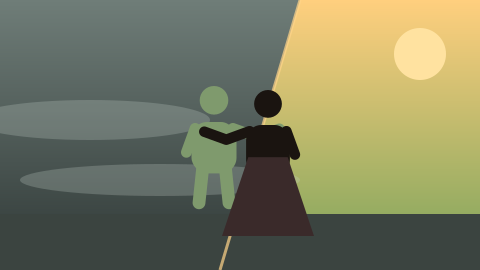
A sunlit park path at golden hour. Two people see each other from a distance, smile, and walk faster until they meet in a long, warm hug; the camera circles slowly as they laugh and hold on.
Inspired by the AI hug trend on TikTok and Instagram. No reference video is used — a new scene is generated from your two photos.
Also searched as: ai hug video generator · ai hugging video · hug ai trend · make two photos hug ai · ai hug video from photos.
What happens in your ai hug video
- 0–4s A sunlit park path at golden hour, warm backlight through trees. Person A walks along the path, then looks up and sees Person B in the distance.
- 4–8s Both break into wide smiles and walk faster toward each other; B laughs and opens their arms.
- 8–13s They meet in a long, warm hug, eyes closed, swaying slightly. The camera slowly circles them, lens flares in the low sun.
- 13–15s They lean back, still holding each other’s arms, and laugh. Soft final frame.
How to make the AI Hug Generator
1 · Upload two photos
First person and Second person. One adult, clear face, with their permission.
2 · Use credits
2 credits per second at 480p (30 for 15 seconds), 4 at 720p. Pay once in Stripe Checkout; the email you enter is your account — no password.
3 · Download and post
A 5–15 second MP4 with sound, 9:16 or 16:9, appears in My creations within minutes.
Who to put in your AI hug video
- You and a long-distance friend
- You and your partner
- You and a parent who agreed
- Two old friends
Photo tips
- Use photos with similar lighting and quality.
- Front-facing, chest-up or full-body photos work best.
- Everyone shown must be an adult who agreed.
Only use photos of yourself, of adults who agreed, or of your own pet. No celebrities or other public figures. Results are AI-generated; likeness and details can vary. See the Acceptable Use policy.
AI Hug Generator — FAQ
How does the AI hug generator work?
Upload two photos. A built-in prompt generates a new 15-second scene of the two people walking toward each other and hugging.
Can I make a hug with someone who has passed away?
Many people use AI hugs as a keepsake. Only upload photos you have the right to use, and remember the result is AI-generated and may not match exactly.
Do both people need to agree?
Yes. Only upload photos of adults who agreed. No public figures.
How much does it cost?
A 15-second 480p video costs 30 credits (2 credits per second; 720p is 4 per second, from 5 to 15 seconds). Packs start at $9.90 for 100 credits. A confirmed failure restores the credits spent.
Is there a zombie version?
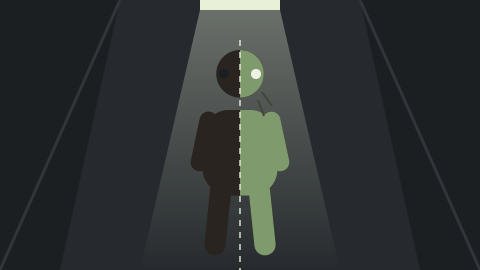
Yes — the zombie hug turns one person into a gentle zombie that your hug brings back.